How to Create YouTube Titles That Attract Attention and Increase Views
What has changed in the Microsoft Ads API and how will it affect advertising
Does Google penalize AI-generated content?
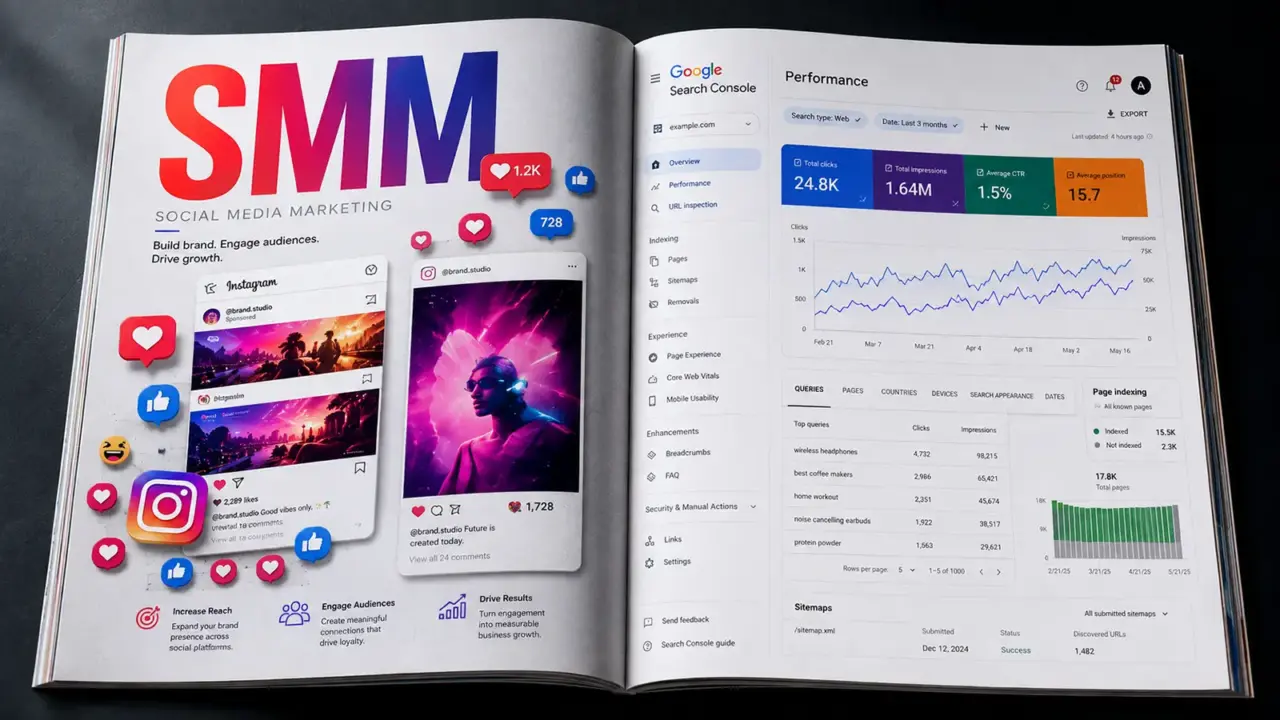
Until recently, Google Search Console was primarily associated with SEO specialists and website owners. On July 7, 2026, Google introduced platform properties: separate Search Console properties for Instagram, TikTok, X, and YouTube.
Account owners can now see which queries surface their social posts and videos on Google, how many impressions and clicks the content receives, which posts attract search traffic, and where that audience is located.
This is not a replacement for Instagram Insights, TikTok Analytics, or YouTube Studio. Search Console answers a different question:
How do people discover a brand’s social content outside the platform itself — through Google Search and, when data is available, Discover and Google News?
For social media teams, this creates a new layer of analysis between social platform reporting and SEO. It reveals not only how followers respond, but also the language people use when searching beyond the social network.
The first experiment began on December 8, 2025. Google automatically identified social channels associated with a verified website and added some of their performance data to Search Console Insights. The feature was available to a limited set of websites, and users could not manually connect any profile they wanted. Google described the initial approach in its experiment announcement.
On July 7, 2026, Google introduced full platform properties. Owners could connect accounts on four supported platforms:
A website is not required. A user only needs control of an account on a supported platform and must complete the authorization process. Google described the launch as a gradual rollout, so the option may not appear in every Search Console account at the same time. See the official Google announcement.
In Search Console, a property is an individual asset whose data a user can review. Traditionally, that meant a website, domain, or a defined part of a website. It can now also mean an Instagram, TikTok, or X profile or a YouTube channel.
Each account must be added separately. If an agency manages five Instagram accounts for different clients, it needs five platform properties.
Verification is completed through direct login to the platform or an automatically established connection with an existing verified website. Adding a property does not improve rankings or guarantee indexing. It only gives the verified owner access to data Google already collects about the content’s search appearances. A Search Console account can contain up to 1,000 properties. See Google’s property setup documentation.
Repeat the process for every profile or channel. Data may not appear immediately, so it is sensible to connect active accounts before the team urgently needs the report.
Google periodically rechecks ownership. If platform authorization expires or is revoked, access to the property may be suspended until ownership is verified again. Further details are available in the platform properties documentation.
A client account should not be connected exclusively through one specialist’s personal Google account. Define from the beginning:
This reduces the risk of losing access to reporting history after staff or supplier changes.
The main report includes four core metrics:
| Metric | What it means |
|---|---|
| Clicks | How often a user clicked from Google to the profile or a post |
| Impressions | How often the content was counted as appearing on Google |
| CTR | The percentage of impressions that resulted in a click |
| Average position | The average position of the property’s highest result across the relevant searches |
The data can be analyzed by query, post, date, country, device, and available search type. If the content appeared in Discover or Google News, corresponding reports may also be available. They do not appear when there is no qualifying data.
Average position requires caution. It is an aggregate across queries, countries, devices, and search result formats, not a fixed ranking held by a particular post. Google recommends focusing primarily on trends in impressions and clicks. See its Performance report guidance.
Insights is designed for a faster, less technical review. It highlights:
It is a useful starting point for content managers who do not need advanced filters and exports every day.
Search Console may record growth milestones, such as reaching a new threshold of total Google clicks during a 28-day period. This is more motivational than diagnostic. Performance and Insights remain more useful for regular decision-making.
A platform property does not capture the full performance of social media activity. Search Console does not show:
A TikTok video might receive 500,000 views inside TikTok but only 300 impressions on Google. Search Console reports the external Google visibility, not the video’s total popularity.
| Tool | The question it answers |
|---|---|
| Search Console | How is social content discovered on Google? |
| Instagram or TikTok Analytics | How is the content consumed inside the platform? |
| YouTube Studio | How do people discover and watch the video on YouTube? |
| GA4 | What happens after a user reaches the website? |
| CRM | Did the interaction become a lead or sale? |
Google is showing the post for some queries, but users rarely click. This does not necessarily prove strong relevance: the result may appear in low positions or across different search result formats.
Check:
The next step may be to clarify the title or caption, add concrete details, update a YouTube description, or create a new piece for a more precise intent. Editing metadata does not guarantee that Google will display it exactly as written or that CTR will automatically improve.
This can reflect excellent relevance for a narrow query, branded demand, or a topic with limited search volume. Before scaling, inspect the queries, seasonality, and potential size of the demand.
If the topic has broader potential, the team can:
This is a useful content hypothesis. Google already associates the profile with the topic even though there may be no dedicated post. If the query is relevant to the business, test a direct response: a tutorial, comparison, FAQ, list of mistakes, or localized guide.
This is both a success and a concentration risk. A strong post can be expanded into a topic cluster:
Avoid near-duplicate posts. Each asset should answer a distinct question or serve a different user need.
Check whether the trend is also visible in Google Trends, TikTok Creator Search Insights, and YouTube Studio. The goal is to distinguish sustained demand from seasonality, a news event, or a short viral spike.
TikTok Creator Search Insights also highlights popular topics and content gaps. A signal confirmed by several sources is more reliable than one isolated chart.
| Situation | Cautious interpretation | Next step |
|---|---|---|
| Impressions and clicks rise | The topic or distribution is gaining strength | Review queries and expand the cluster |
| Impressions rise while CTR falls | Google may be expanding the query set, or the result may be less attractive | Segment by query, position, and result type |
| Impressions fall while CTR remains stable | Demand or visibility may have declined | Check seasonality, rankings, and competing results |
| Impressions are stable while clicks fall | Position or presentation may have changed | Review queries, devices, thumbnails, and descriptions |
| Average position improves but there are no clicks | The position may still be insufficient, or demand may be low | Check impressions, position ranges, and SERP format |
| An unexpected query drives clicks | A new segment or intent may exist | Validate relevance and test dedicated content |
| Traffic comes from another country | International or diaspora demand may exist | Review query language and test localization |
Audience behavior differs between weekdays and weekends. It is usually more reliable to compare 28 days with the preceding 28 days, complete weeks, or equivalent seasonal periods. Weekly and monthly aggregation reduces noise created by individual days.
Collect the brand name, former names, Cyrillic and Latin spellings, common misspellings, product names, and ambassador names. Reviewing non-branded queries separately gives a clearer indication of whether the content reaches people who do not already know the brand.
Export queries for the website, Instagram, TikTok, and YouTube, then classify them into four groups:
If TikTok already earns clicks for a relevant query but the website does not, the topic may deserve a comprehensive website article. If the website ranks but no video exists, the article can be adapted into a Reel, Short, or TikTok.
Some rare queries are hidden for privacy reasons, and tables do not contain every possible row. Regular exports help preserve history, combine profiles, and build custom reports.
Record publication dates, username changes, updated covers and descriptions, campaign launches, collaborations, seasonal events, and crises alongside the data. Search Console shows what changed but does not explain why.
Connecting a property does not optimize anything by itself. Google must be able to access the post, understand its topic, and consider it relevant to a query.
Practical principles include:
This does not mean every element is a direct Google ranking factor. The purpose is to make the topic clearer to users, the social platform, and the search engine.
YouTube considers how well the title, description, tags, and video content match a query, together with engagement and quality signals. Tags play a limited role and are mainly useful for spelling variants. Alignment among the title, description, thumbnail, and actual answer in the video matters more. See How YouTube Search works and YouTube’s tag guidance.
Do not hide the primary topic only in hashtags. Say it in the video, display it on screen, include it in the caption, and support it with a few relevant hashtags. Search Console, Creator Search Insights, and the TikTok Creative Center can be used together to research topics.
Meta allows search engines to index photos and videos from eligible public professional accounts under the conditions defined by the platform. Account owners can change indexing settings, make a profile private, or switch account type. Removal of previously indexed content from Google may take time. See Meta’s official documentation.
Google gives an example of counting Instagram Stories when they appear in Search, but a long-term search strategy should not rely on temporary Stories. Public posts, Reels, and videos are more durable assets.
A focused initial scorecard can include:
There is no universal good CTR. It depends on position, query, result format, country, device, and brand awareness. Compare a profile with its own history and relevant segments rather than with an arbitrary benchmark.
Search Console records a click from Google to social content, but it does not see the full subsequent journey. To move closer to business outcomes:
A simplified journey may look like this:
Google impression → Search Console click → profile or post view → action inside the platform → website visit → conversion in GA4 or CRM.
No single tool sees the entire path.
No. Creating a platform property only enables reporting. It does not affect the profile’s presence on Google.
No. Some rare queries are withheld for privacy, and tables may be truncated. Visible rows do not always add up to the total shown in the chart.
The launch of platform properties does not prove this. It confirms that Google can display and report on social content, not that likes or follower counts directly improve a website’s rankings.
No. A post may still perform well inside the platform or create visibility without a click. Search Console simply does not measure those effects.
Platform properties in Google Search Console add an important layer to social media analytics: the visibility of social content in open search.
The greatest value is not another impression chart. The report reveals the language of real demand: what people type into Google before opening a Reel, TikTok, or YouTube video.
A practical workflow looks like this:
Search Console queries → content hypothesis → publication → impression and click analysis → refinement of topic and presentation → expansion across the website and social platforms.
Search Console does not replace native social analytics and does not prove the contribution of content to sales. However, at the intersection of SEO, social media, video, and web analytics, it can identify topics that remain discoverable long after the usual feed cycle ends.
Read this article in Ukrainian.
Say hello to us!
A leading global agency in Clutch's top-15, we've been mastering the digital space since 2004. With 9000+ projects delivered in 65 countries, our expertise is unparalleled.
Let's conquer challenges together!
performance_marketing_engineers/
performance_marketing_engineers/
performance_marketing_engineers/
performance_marketing_engineers/
performance_marketing_engineers/
performance_marketing_engineers/
performance_marketing_engineers/
performance_marketing_engineers/