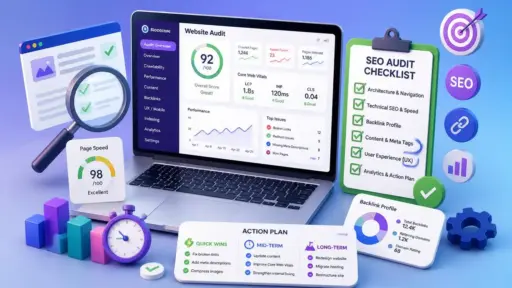
How to conduct a website audit in 6 steps
Google Ads Tests AI-Powered Campaign Localization for International Expansion
Google Updates Its Content Guidelines
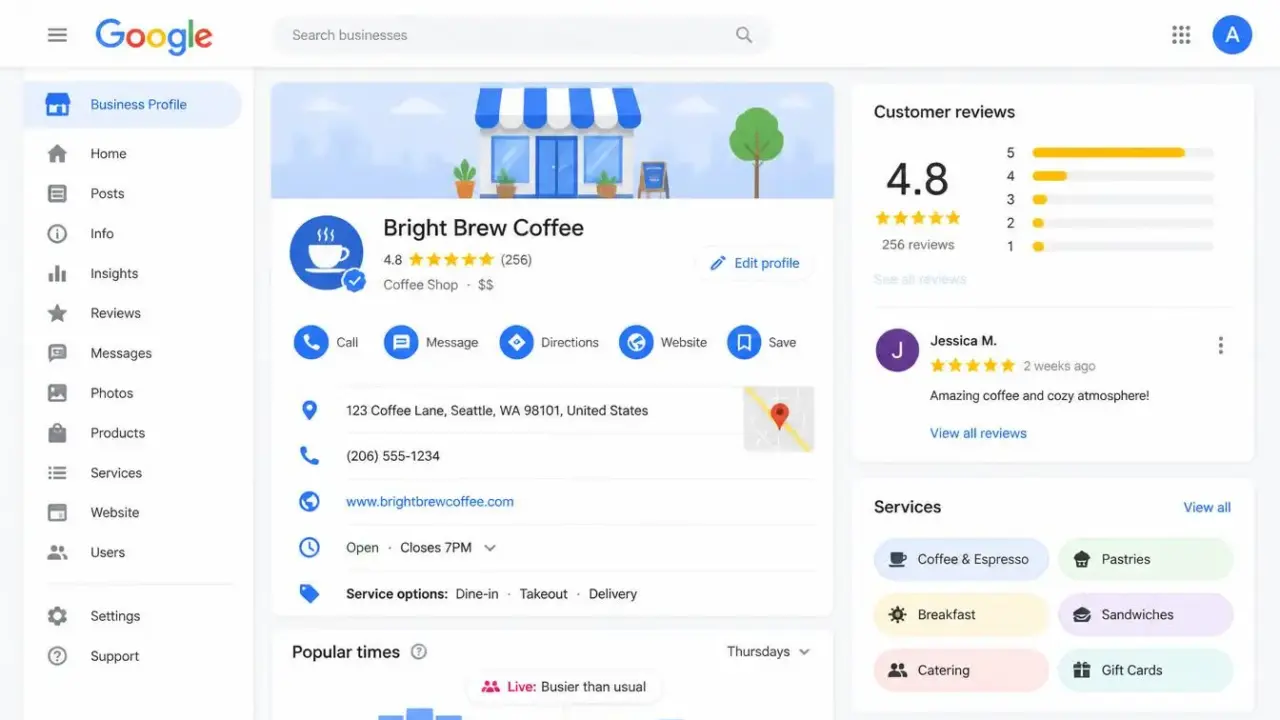
Loss of access to Google Business Profile, sudden suspensions, or disappearing reviews can significantly undermine any company’s operations. For many local brands, this listing is the primary source of clients: it generates calls, website traffic, bookings, and builds trust. As long as everything runs smoothly, few consider the consequences of a sudden breakdown.
However, a review, suspension, re-verification request, or profile merger instantly cuts off this flow of orders. Standard advice in these situations boils down to basic recovery: learn the rules, gather documents, and file an appeal. These are important steps, but they fail to address the core issue—how the business survives and receives orders while dealing with support bureaucracy.
This is precisely why a business continuity plan is necessary. Its purpose is not just to restore access, but to proactively protect data, set up alternative customer acquisition channels, and reduce total dependence on a single Google tool.
What this looks like in practice: One service business was banned for listing the owner’s home address instead of setting up a service area. Fixing the mistake turned out to be only the beginning of the problem:
The process of bringing a profile back can stretch on for weeks or even months. A business cannot afford to simply wait and lose revenue. A full-fledged action plan must account for potential delays, algorithmic errors, and incomplete data restoration, ensuring a steady stream of orders even during a crisis.
Google Business Profile issues instantly turn into financial losses if a company is completely dependent on local search. Profile suspension typically leads to a drop in phone calls and website visits, the disappearance of reviews undermines customer trust, and incorrect operating hours or contact details confuse clients even when the listing remains visible.
The depth of the problem depends on what proportion of orders is generated specifically by Google. For one business, the profile serves merely as a supplement to organic SEO, word-of-mouth, advertising, and email newsletters. For another, Maps and the Local Pack are the sole source of new clients.
The degree of this dependence should be measured in advance. Analyze data from the last 6–12 months: website analytics, call tracking, and lead logs. Perfect accuracy is hard to achieve, as people often interact with multiple channels before purchasing, but the goal is different—to understand your company’s level of vulnerability.
The main question that needs to be answered is: how long can the business function if the flow of clients from the profile stops tomorrow? A company with multiple acquisition channels will only feel a temporary drop in performance metrics, whereas a business tied exclusively to Google Maps will face a threat to its survival.
An effective action plan should cover four key areas:
These processes must be launched in parallel. Recovery will require business registration documents, proof of ownership, photos/videos, and a detailed history of recent profile changes.
At the same time, compensating for lost leads may require immediate website updates, launching context ads, or activating outreach to new audiences. Waiting for a suspension to occur before setting up these processes means losing precious time.
It is also critical to clearly assign areas of responsibility. One person can handle appeals, verification, and communication with tech support, while another monitors order flow and launches backup marketing channels. Even in a micro-business where one individual performs all these tasks, dividing them into separate tracks helps prevent a situation where fighting with Google support completely paralyzes all other marketing activities.
Access and Ownership Control. First and foremost, audit access permissions: determine who holds primary ownership of the profile, which accounts have manager rights, and whether former employees or contractors still retain access.
The most critical rule: the business itself must retain primary ownership of its profile, rather than handing it over entirely to employees, agencies, or external specialists. Treat your Google Business Profile as a full-fledged company asset. In most cases, granting “Manager” access to external providers and employees is more than sufficient.
Preparing a Document Package. Keep up-to-date copies of the paperwork that might be required during verification or the appeal process readily accessible:
Important: The name and address on these documents must match the public-facing business identity exactly.
Backing Up Profile Data. Save all current profile settings in one central location: the exact business name, address or service areas, phone number, website, categories, business hours, description, list of services, products, and attributes. Having this information in a single archive allows you to quickly spot unauthorized edits and restore lost data once unblocked.
Visual Proof. Photo and video evidence play a decisive role during video verification:
A business must know in advance precisely what visual proof it can produce. Trying to gather the necessary materials on the fly during verification risks losing precious time and facing a rejection.
Your action plan should include regular tracking of your listing’s public status. At a minimum, periodically back up and document:
Screenshots and exported data will not restore your information automatically, but they will serve as evidence of how the profile looked before the failure and help verify whether all data was restored post-unblocking.
This is critical because re-publishing a page does not guarantee full content restoration. Often, after a ban, reviews, products, photos, or performance statistics disappear, while search rankings and lead flow recover with a lag. A profile can only be considered fully restored once you have verified not just its presence on Maps, but also its rankings, content, and actual order volume. A listing reappearing in search simply means it is active; it does not guarantee it is performing as effectively as before.
When call volume or rankings drop, owners often start chaotically editing everything at once: changing the business name, category, address, phone number, or service areas. Attempting to fix everything simultaneously only complicates diagnosing the root cause and creates new inconsistencies for Google’s algorithms.
The first step is to clearly define the nature of the issue. A listing can be suspended, sent for re-verification, merged with another profile, or suffer from access permission issues. Disappearing reviews can stem from a technical glitch, profile merging, or moderation filters. Meanwhile, a drop in leads might simply be caused by seasonality, new competitors, or incorrect contact details, rather than Google penalties.
Before making any edits, identify exactly what you are dealing with:
Once identified, cross-check your profile status against Google’s current guidelines. Ensure the business meets platform requirements and that all details (name, address, phone number, website, categories) are displayed correctly.
If you uncover actual errors or violations, fix them before submitting an appeal. Your explanation to Google Support should be concise and strictly factual: what the business does, where and how it operates, what changes occurred, and which specific documents confirm its legitimacy.
An effective continuity plan must set concrete criteria for what qualifies as a successful recovery. The public reappearance of a listing on Maps is merely the first step. Full recovery encompasses access rights, profile content, reviews, search rankings, and order volume.
Immediately after unblocking or successful verification, strictly inspect:
At this stage, it often becomes clear that while the technical issue is resolved, financial losses continue. The listing may appear in search again, but its visibility remains lower than before. Missing reviews suppress conversions even if high rankings are preserved, while lost services or corrupted categories prevent the profile from showing up for relevant queries.
This is precisely why recovery must be evaluated against two benchmarks: technical health of the profile and actual business metrics. The ultimate goal is to ensure potential clients see accurate information, trust signals are fully restored, and the flow of calls and leads returns to its previous levels.
Communication with support can drain a massive amount of time and patience—especially when tickets are closed without resolution or demand endless rounds of verification. Keep pushing through official channels, but under no circumstances should you put the rest of your marketing on pause.
During this period, your business website becomes the primary sales hub. Customers must be able to easily find information about your services, operating hours, service areas, and contact details without relying on a Google listing:
Remember: customers do not need to know about your technical issues with Google Support. They only need confirmation that your business is operating and a simple way to reach you.
If budget allows, pay-per-click (PPC) advertising is the fastest way to recover lost order volume. Do not attempt to replace every single listing view—focus strictly on search queries that convert into actual revenue:
Landing pages should make calling or placing an order as frictionless as possible. Track real lead quality and acquisition cost rather than just clicks or traffic—evaluate performance by phone calls, submitted forms, and closed deals.
Local Services Ads (LSA) can also be effective for certain industries; however, eligibility sometimes depends on overall Google account status, so treat it as an additional option rather than a guaranteed backup.
Past clients are your fastest source of new orders. Most companies already have a customer database stored in a CRM, accounting software, email list, or spreadsheet.
Reach out with a compelling or timely offer:
For example, a plumber can offer seasonal pipe inspections or water heater servicing, while a home repair contractor can offer surface touch-ups or auxiliary room painting.
The key is to focus messaging on the client’s needs and your immediate availability. Your Google Business Profile issues should never be mentioned or serve as the focal point of your outreach.
Social media channels help keep your business visible while your Google Business Profile is unavailable or operating with restrictions. Publish photos and videos of recent projects, before-and-after results, seasonal tips, service reminders, and up-to-date schedule availability.
Do not limit outreach strictly to your owned pages. Actively monitor local community channels: city and neighborhood Facebook groups, community chats, Nextdoor, and niche local forums. Residents regularly seek real-time recommendations across these platforms—someone urgently needs a plumber, electrician, painter, or landscaper, making these inquiries directly without relying on Google Maps.
Participate in these discussions strategically:
The objective is to establish a presence within active local conversations. During a Google outage, this strategy generates an immediate stream of inquiries and word-of-mouth referrals.
Instead of publicly complaining about Google Profile issues, focus communication on current capacity and capabilities. Notify partner businesses and complementary service providers that you have immediate availability for specific services and inquire if they have clients requiring those solutions.
Maintain community engagement through:
Core rule: Avoid aggressive spamming. Helpful advice and a consistent, professional presence build trust far more effectively than panic-driven promotional posts.
A suspended profile prevents collecting new Google reviews, while missing historical ratings depresses conversion rates even after listing restoration. However, this should not pause ongoing reputation management.
During the recovery period, redirect review requests to alternative, reputable platforms frequented by your target audience. Depending on your industry, relevant channels include Facebook, Yelp, TripAdvisor, B2B marketplaces, and specialized trade directories.
Select 1–2 primary platforms to avoid fragmenting customer response rates. Concurrently, reinforce social proof through internal assets:
Once the Google listing is unblocked, audit whether historical reviews have been restored. Resume standard Google review generation only after verifying full account stability.
Important: Never request that clients duplicate identical text across multiple platforms or bulk-repost legacy Google reviews elsewhere. This pattern appears unnatural and risks triggering moderation bans on alternative platforms.
While Google reviews remain a critical conversion asset, they must not constitute your sole proof of reliability. A diversified reputation strategy—supported by published case studies and first-party website testimonials—establishes a resilient safety net against external platform disruptions.
Once your Google Business Profile is restored, analyze which temporary measures brought in real clients. While some emergency campaigns can be turned off, the most effective channels should be integrated into your permanent marketing strategy.
A resilient customer acquisition model must combine multiple sources: Google Business Profile, organic SEO, PPC advertising, word-of-mouth, repeat sales, email marketing, social media, local partnerships, and PR. The exact ratio will vary for every business, but the core objective remains the same—never allow any single channel to fully control your order flow.
Pay special attention to your first-party assets. You hold complete control over your website, customer database, mailing lists, content, case studies, and partner relationships. Unlike Google’s algorithms, review filters, and support teams, these assets belong entirely to you, shielding your business from surprises and making it significantly more resilient.
Compare performance metrics across three distinct periods: before, during, and after the outage. The following metrics will prove useful for this analysis:
This analysis will clearly highlight how many leads were lost, which channels helped compensate for them, how much backup traffic cost to acquire, and whether conversion rates returned to previous levels.
Once the situation has completely stabilized, document the entire experience. Record the reasons for unblocking, which documents were difficult to source, which support actions yielded results, and which channels generated the most orders. Use these insights to update your business continuity plan.
Google Business Profile remains one of the most valuable marketing tools for local business. However, that exact value creates serious risks of over-reliance.
No company can be 100% immune to sudden re-verifications, algorithmic glitches, or incompetent support decisions. However, every business can proactively assemble a document package, back up its profile history, and build alternative customer acquisition channels.
A reliable business continuity plan does not just protect a pin on Google Maps—it protects your order flow, revenue, and overall company stability. That work begins long before the first issue arises, and continues long after your profile is active again.
Read this article in Ukrainian.
Say hello to us!
A leading global agency in Clutch's top-15, we've been mastering the digital space since 2004. With 9000+ projects delivered in 65 countries, our expertise is unparalleled.
Let's conquer challenges together!
performance_marketing_engineers/
performance_marketing_engineers/
performance_marketing_engineers/
performance_marketing_engineers/
performance_marketing_engineers/
performance_marketing_engineers/
performance_marketing_engineers/
performance_marketing_engineers/