
Google Ads Tests AI-Powered Campaign Localization for International Expansion

Google Updates Its Content Guidelines

Microsoft Advertising integrates with HubSpot ahead of the holiday season
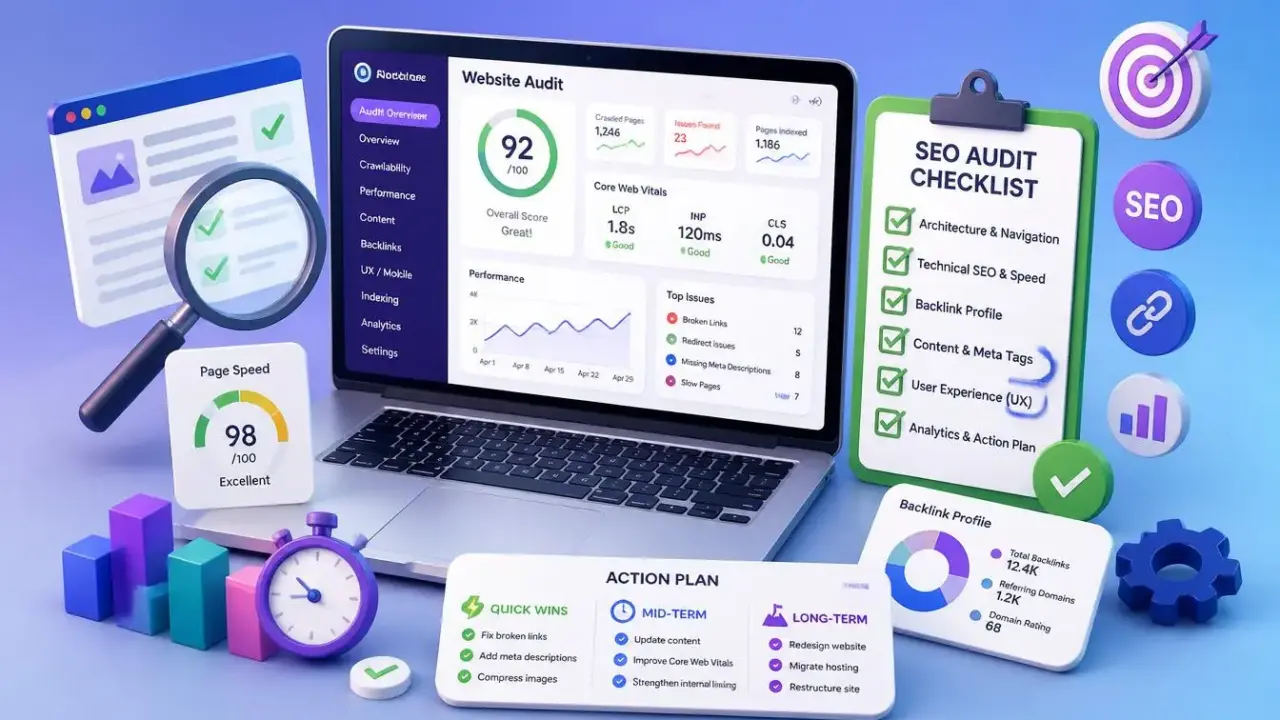
Advertising campaigns do not always guarantee steady traffic growth. Website traffic may plateau, while search rankings gradually decline. According to SEO experts, these setbacks are often caused by hidden technical issues, outdated content, or shortcomings in user experience (UX) optimization.
A website requires ongoing technical maintenance and monitoring. Over time, broken links, unoptimized images, toxic backlinks, and low-engagement pages that have lost their relevance to users and search engines can accumulate. Without regular audits and a systematic approach to fixing these issues, website performance can deteriorate, leading to a loss of competitive advantage.
In this comprehensive guide, we’ll walk you through a six-step website audit process:
Best of all, you won’t have to tackle everything at once. At the end of the article, you’ll find a ready-to-use practical checklist to help you organize the process and achieve initial results quickly.
A clear website structure and intuitive navigation help both users and search engines find the information they need quickly. This directly affects your search rankings and business profitability. After all, if visitors cannot find your products or services, they will not be able to purchase them.
Here is how to audit your website architecture.
Evaluate how easily users can navigate between pages. Your menu structure should be intuitive, and your overall website architecture should be logical.
Ask the following questions when reviewing your website’s key navigation elements:
Example of effective implementation: The Terra Outdoor furniture store meets all these criteria.
What did they do right? The website features a streamlined dropdown menu that organizes products logically by category, material, and collection. This structure allows shoppers to find exactly what they need without unnecessary effort.
Helpful resource: Use a menu design checklist to make your website navigation even more user-friendly.
The content on each page needs a clear structure so that both readers and search engines can understand it easily.
Start by reviewing your heading hierarchy:
Further reading: Website Architecture: How to Build a Structure That Ranks High in Search Results.
Internal links help visitors navigate your website and signal relationships between different pieces of content to search engines. A well-planned internal linking strategy can also strengthen your website’s topical authority.
Make sure you link to:
What to look for: Do you use descriptive anchor text (the clickable text of a link) that naturally incorporates relevant keywords? This helps readers understand where a link will take them and gives Google additional context about the content of the destination page.
A technical SEO audit helps you determine how easily search engines can access, crawl, and index your pages. You may have the best content in your niche, but technical issues can still hold back your search rankings.
Here’s how to conduct a technical SEO audit.
First, make sure search engines can discover and recognize your pages.
To check this, open Google Search Console and see whether Google is indexing your important pages. You can find this data under Indexing > Pages.
How to fix it: If your audit reveals indexing issues, follow a step-by-step guide to configuring website indexing in Google.
Next, make sure search engine crawlers can navigate your website without obstacles and discover your content. Look for broken links, missing pages, and overly complex or confusing structures.
Use Semrush Site Audit to identify crawled pages and uncover errors that prevent search engines from accessing your content efficiently.
How to do it:
Further reading: Learn about the most common website crawling issues and how to resolve them.
Make sure search engines can easily understand and navigate your website’s structure.
Further reading: XML Sitemaps: What They Are and Why They Matter for SEO.
A page speed audit helps you pinpoint exactly what is slowing down your website and how to fix it. Improving site speed can directly affect conversion rates and help increase sales.
A fast-loading website creates a better user experience. When pages load quickly, visitors can explore content, interact with the site, and complete desired actions more easily — such as clicking the “Buy” button.
Here’s how to check whether your website is performing at its best.
Use Google’s free PageSpeed Insights tool. It provides detailed performance data and actionable recommendations for improvement.
Pay particular attention to Core Web Vitals — a set of metrics that Google uses as part of its page experience signals to evaluate the user experience.
Here’s why they matter and how to improve them:
During your page speed audit, focus on changes that deliver the greatest impact:
If you’re unsure where to start, use the prioritized list of issues and recommendations generated by PageSpeed Insights to guide your next steps.
A backlink audit helps you understand the current state of your link profile and identify new opportunities for improvement. High-quality links from authoritative websites can improve your search rankings, while low-quality links — or a lack of backlinks — can hold your website back.
Here’s how to evaluate your backlink profile effectively.
Start by getting an overview of your link profile using Semrush Backlink Analytics.
Pay attention to the total number of backlinks, referring domains, and your overall toxicity score.
Watch out for any unusual spikes in low-quality backlinks. These could indicate a spam attack that may harm your SEO performance.
Free tool: Use a free backlink checker to quickly analyze your website’s backlinks or those of your competitors.
Use Backlink Audit to get a clearer picture of your backlink profile’s health.
Review the detailed metrics and link categories:
This breakdown provides two key opportunities:
A small number of toxic backlinks is not necessarily a reason to panic — they can occur naturally as your website grows. What matters most is the overall balance between high-quality and toxic links, with the vast majority coming from trustworthy, reputable websites.
Further reading: Modern link building is about building partnerships, not simple transactions.
Monitor your backlink profile consistently to keep it in good health. Schedule monthly audits to identify potentially harmful links early, before they affect your search rankings.
Recommended tool: Use Semrush Link Building Tool to manage and track your link-building efforts.
A content audit helps you identify pages that need updating to increase traffic.
It gives you a clear understanding of three things:
Here’s how to conduct a content audit.
High-quality content keeps readers engaged and signals to search engines that your page provides value and deserves to rank higher in search results.
But how exactly do you assess content quality?
High-quality content is generally well-researched, contains up-to-date information, and offers unique expert insights.
Key elements of high-quality content include:
Further reading: Content Pruning: How to Improve SEO by Removing Underperforming Pages.
Title tags and meta descriptions are your first opportunity to capture users’ attention in search results. They can influence whether someone clicks through to your website or scrolls past it.
What should you look for when auditing titles and descriptions?
Effective title tags should:
Effective meta descriptions should:
Use Google Search Console to identify the pages receiving the most clicks from search results and analyze their meta elements to understand what works best.
Pay particular attention to pages with a high number of impressions but few clicks. These pages have a low click-through rate (CTR), and optimizing them can help generate additional traffic.
The goal of a user experience (UX) audit is to identify friction points and optimize them so visitors can find the information they need effortlessly.
A great UX keeps your audience engaged and encourages them to take action, such as making a purchase. An intuitive interface also helps demonstrate that your website provides value to users, while page experience is an important factor in Google’s ranking systems.
Here’s how to conduct a UX audit.
More than 60% of web traffic comes from mobile devices. Test your website on different screen sizes to ensure a smooth experience for every user.
Pay attention to the following:
Further reading: Mobile SEO: What It Is and How to Benefit from Mobile Optimization.
Your design should guide users’ attention to key elements and make your content easy to understand.
Ask yourself the following questions:
Helpful resource: Use Nielsen Norman Group’s guidelines to improve your content’s readability.
Calls to action are key conversion points. They should be noticeable, persuasive, and easy to click.
Make sure your CTAs:
Tip: Use heatmap tools such as Hotjar to see how visitors interact with your CTAs. These tools reveal where users click most often, how far they scroll, and whether they notice your calls to action.
Further reading: Conversion Rate: How to Calculate, Optimize, and Avoid Common Mistakes.
Auditing the content already published on your website is only part of the process. To determine the right next steps, you need to rely on actual data.
Open Google Search Console to review your content metrics and identify:
As Brian Dean notes:
“Start by identifying content that generates no traffic or sales. When you have published a lot of content, analyzing everything at once is simply impossible. Get rid of the ‘junk’ first, and you can focus your efforts on pages that are actually worth improving.”
Further reading: A Google Search Console Guide to Monitoring and Analyzing Organic Traffic.
After removing uninformative pages from your website, evaluate the performance of the remaining content. The main metric to focus on is traffic trends, which show whether your content continues to attract an audience.
Look for content with a consistent downward trend in views:
Watch for these warning signs:
These are your key opportunities for growth. Updating these pages can help recover lost traffic.
After completing your audit, you will likely have a long list of tasks. To avoid feeling overwhelmed and maximize the impact of your efforts, prioritize your resources.
Start with issues that have the greatest impact on SEO and user experience:
Break your list of tasks into manageable stages based on the time and resources required.
Quick wins — minimal effort, up to one hour
Medium-term tasks — require planning
Long-term projects — involve major changes
Tip: Set up regular automated monitoring with SEO tools such as Semrush Site Audit to detect new issues promptly.
An audit only delivers results when you put its findings into practice. Do not try to fix everything at once — start with the issues that are currently causing the most harm to your website.
Websites are constantly changing, and new issues inevitably arise between audits. Regular checks help you resolve them before they start costing you traffic and conversions.
Read this article in Ukrainian.
Say hello to us!
A leading global agency in Clutch's top-15, we've been mastering the digital space since 2004. With 9000+ projects delivered in 65 countries, our expertise is unparalleled.
Let's conquer challenges together!
performance_marketing_engineers/
performance_marketing_engineers/
performance_marketing_engineers/
performance_marketing_engineers/
performance_marketing_engineers/
performance_marketing_engineers/
performance_marketing_engineers/
performance_marketing_engineers/